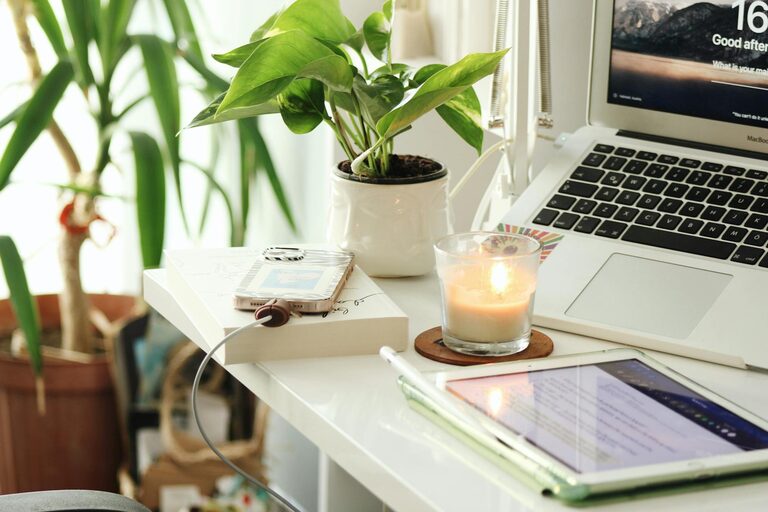
Creating a productive home office space is essential for anyone working remotely or running a business from home. A well-designed workspace can enhance focus, reduce distractions, and improve overall work satisfaction. Whether you have a dedicated room or a small corner in your living area, the right setup can make a big difference. In this post, we’ll explore practical tips to help you create a home office that supports your productivity and well-being.
Choose the Right Location
Find a Quiet Area
Selecting a location with minimal noise and foot traffic helps maintain concentration. If possible, choose a room with a door to separate work from home life.
Make Use of Natural Light
Position your desk near a window to take advantage of natural daylight. It can improve mood and energy while reducing eye strain. If natural light isn’t available, invest in good quality lighting that doesn’t cause glare.
Invest in Comfortable and Functional Furniture
Ergonomic Chair and Desk
Your chair and desk are the foundation of a comfortable workspace. An ergonomic chair supports your back and promotes good posture. Adjustable desks, including standing desk options, allow you to switch positions, which can help prevent fatigue.
Organize Your Desk Surface
Keep your desk clutter-free with only necessary items like your computer, a notepad, and a pen. Use desk organizers or trays to store small items and keep everything within reach.
Optimize Your Technology Setup
Reliable Internet Connection
A strong, stable internet connection is a must for videoconferences and online tasks. Consider upgrading your router or using a wired connection if Wi-Fi is inconsistent.
Equipment and Accessories
Use a suitable computer or laptop with the right specifications for your work. Add accessories such as a second monitor, keyboard, mouse, and headset to enhance efficiency and comfort.
Create an Organized Environment
Storage Solutions
Shelves, filing cabinets, or storage boxes help keep documents and supplies tidy. Label containers for easy access and regularly declutter your space.
Cable Management
Use cable organizers or clips to keep wires from tangling or cluttering your desk. This not only looks neat but reduces frustration.
Personalize Your Space Wisely
Add Motivating Elements
Incorporate items that inspire you, such as artwork, plants, or motivational quotes. Plants in particular can improve air quality and add a calming touch.
Avoid Overcrowding
While personalization is great, too many decorations can distract. Aim for a balance that promotes focus.
Establish Clear Boundaries and Routines
Define Work Hours
Set specific working hours to separate your professional time from personal life. Inform family members of these hours to minimize interruptions.
Use a Dedicated Workspace
Even if space is limited, having a specific area designated for work helps signal your brain when it’s time to focus.
Maintain Good Ergonomics and Health Habits
Posture and Positioning
Ensure your monitor is at eye level and your feet rest flat on the ground. Take breaks to stretch and adjust your posture often.
Stay Hydrated and Take Breaks
Keep water nearby and remember to step away from your desk throughout the day. Short breaks improve concentration and reduce fatigue.
Final Thoughts
Creating a productive home office is all about designing a space that supports your work style and well-being. By choosing the right location, investing in ergonomic furniture, organizing effectively, and establishing clear boundaries, you can make working from home both comfortable and efficient. Remember, small changes can lead to big improvements in your daily workflow.
With these tips, you’re well on your way to building a home office where productivity flourishes. Happy working!
Leave a Reply